

Find the domestic tracking number in your Taobao account, enter it in the parcel pre-alert, and check that the parcel was recorded. If the carrier is not recognized, start by checking which number you copied.
If you have your Taobao order open and the parcel pre-alert will not go through, check which number you copied. The marketplace order number identifies what you bought. The domestic tracking number identifies the package the seller sent. The pre-alert needs the second one, even if both numbers appear in the same order details.
Start with a Taobao purchase that has been given a domestic tracking number. Keep the order details open while you fill in the pre-alert so you can check the carrier, the items in that shipment, and what you paid for each one.
1. Find the domestic tracking number in your Taobao account
Open the purchase in your own Taobao account and look for the shipment or delivery details associated with it. The layout can vary, so use the information around the number to identify it rather than looking for a particular button or screen position. You want the tracking number associated with the domestic carrier delivering the parcel within China.
Three different references can be useful for the same purchase, but they are not interchangeable:
- Domestic tracking number: Identifies the parcel moving within China. Enter this in the pre-alert's tracking number field.
- Marketplace order number: Identifies the purchase in Taobao. Use it to find the order again in your account, not to identify the parcel in the pre-alert.
- Product URL: Opens the item listing. Add it to the relevant item line if you have it; do not paste it into the tracking number field.
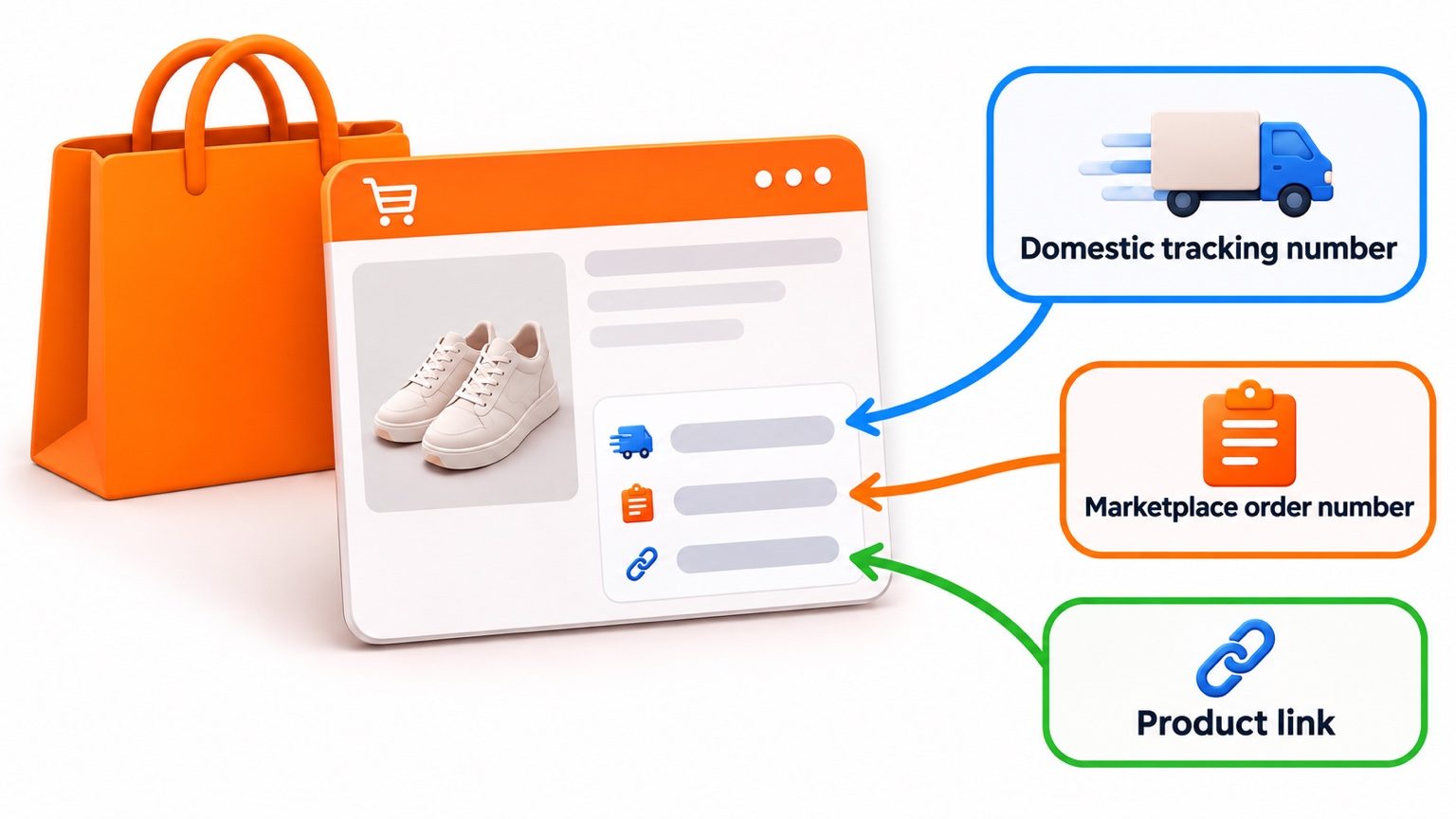
Illustration — A Taobao purchase with separate callouts for the domestic tracking number, marketplace order number, and product link
If you only see an order number and there are no domestic shipment details yet, wait until the tracking number is available. If the seller has split your order across two packages, use the shipment details to check which tracking number goes with each set of items. For example, two shirts ordered together might ship separately. The item lines for the first parcel should describe the shirt it actually contains, not both shirts from the original order.
2. Enter the tracking number and wait for carrier recognition
Open the new parcel pre-alert form and enter the domestic tracking number you copied from Taobao. Paste the number alone, without the carrier name, surrounding text, or a tracking page URL. Give the form time to recognize the carrier before trying to submit. An unrecognized carrier blocks submission, even if every item line is complete.
If recognition does not come through, go back to the shipment details for that package. Compare the number character by character, and check that you did not copy the order number, miss a character, or include a leading or trailing space. Re-enter the number and wait for recognition again. If the exact number still is not recognized, contact support with the tracking number and the carrier name shown in Taobao, if available. Do not substitute a number from another parcel to get past the check.
3. Add the items inside that parcel
Add at least one item and give it a name that describes what it is. Each line needs a quantity of at least one and a positive unit price in Chinese yuan (CNY). The unit price is the price for one item. The form calculates the line subtotal from the quantity and unit price. Add the product link and specifications, such as size or color, when you have them.
Say your parcel contains two identical black cotton T-shirts priced at CNY 39 each. Enter a descriptive item name, quantity 2, and unit price 39. The line subtotal should be CNY 78. If you enter 78 as the unit price instead, the subtotal doubles. When a parcel contains products with different prices or specifications, separate lines make it easier to check what you entered against the purchase details.
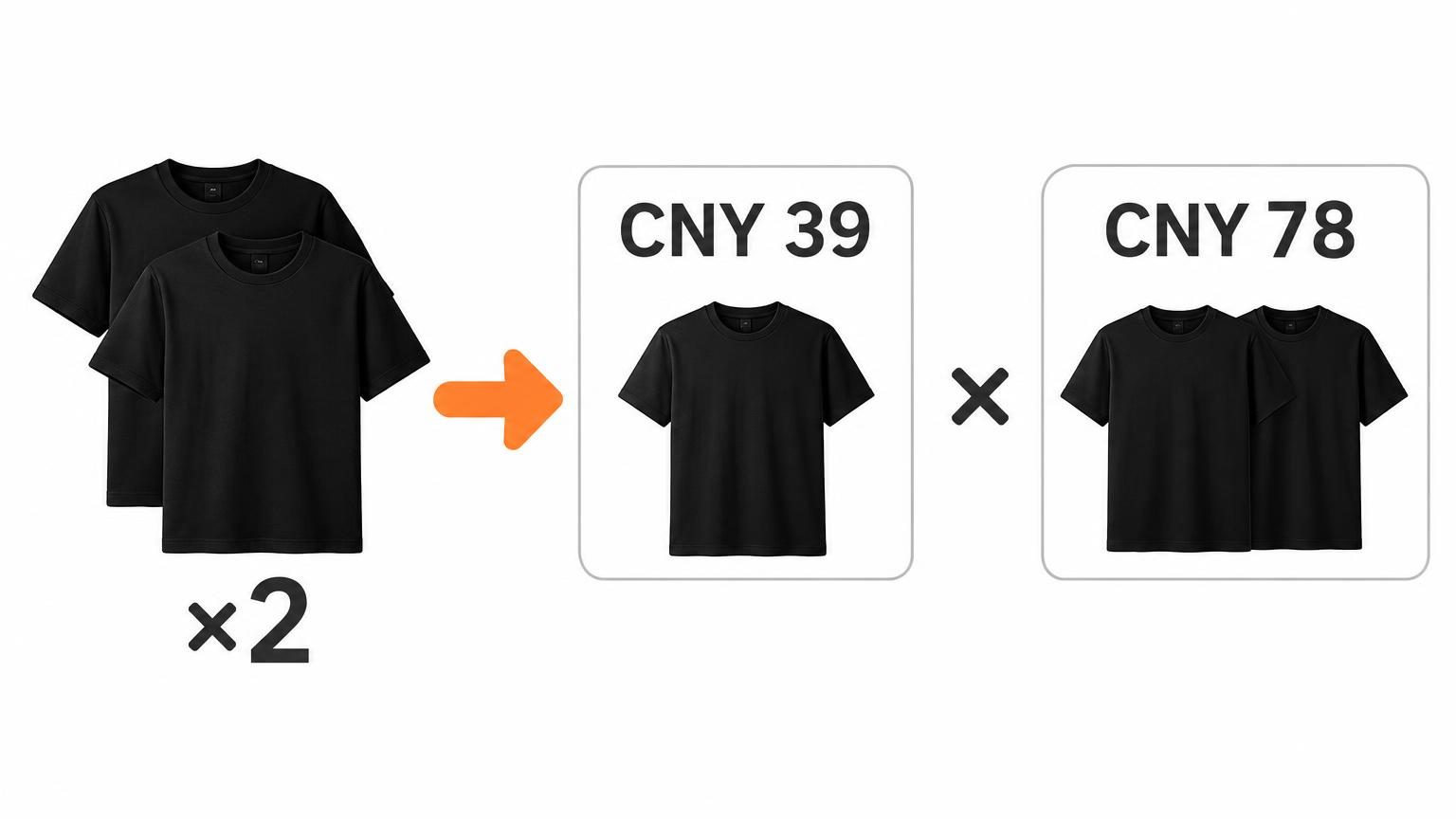
Illustration — An item line for two black cotton T-shirts with a CNY 39 unit price and a calculated CNY 78 subtotal
4. Submit, then check the forecast list
Once the carrier is recognized and the item details are complete, submit the pre-alert. After successful submission, open the forecast list and find the recorded parcel. Compare its domestic tracking number with the one in Taobao, especially if you are entering several purchases at once. You are checking that the pre-alert was recorded for the right parcel, not that the parcel has arrived at a warehouse.
If you cannot find it, first check whether submission actually succeeded and whether you are looking for the domestic tracking number rather than the marketplace order number. If submission appeared successful but you still cannot locate the record, contact support before creating another pre-alert for the same parcel.
Not bought the item yet? Use the manual purchase form
A parcel pre-alert is for a parcel that already has a domestic tracking number. If you need to request a purchase instead, open the new manual purchase form. Select a warehouse and enter the item title, a quantity of at least one, and a positive CNY unit price for each line. You can also provide the product link, SKU attributes such as size or color, an optional reference image, and an order remark. The purchase subtotal excludes international shipping.
If your Taobao parcel already has a tracking number, start with that number and check the forecast list after submitting. If the carrier is still not recognized after you verify the shipment details, visit ShipVida to contact support with the domestic tracking number and carrier name at hand.