

Learn how to select your ShipVida warehouse parcel, search by domestic tracking number or barcode, enter the return reason, choose warehouse shipping or a courier pickup, and follow the request and refund processes.
If your goods have arrived at the ShipVida warehouse and need to go back to a seller in China, you can submit a return request in your customer dashboard. Confirm the return arrangements with the seller, select your parcel, explain the reason, and choose either warehouse shipping or a courier pickup that you arrange. This illustrated guide explains each step.
Steps: confirm the seller's return details → select an in-warehouse parcel → enter the reason → choose a return method → submit the request → check its progress.
1. Prepare before applying
- Sign in to the ShipVida account that owns the parcel. Have its domestic tracking number or warehouse barcode ready.
- Confirm with the seller or shopping platform whether the return is accepted, the deadline, the recipient, the contact number, and the full return address within China.
- If you book a pickup through a platform, confirm that the pickup address is the warehouse holding your parcel and have the courier pickup code ready. Contact ShipVida online support if you are unsure about the booking details.
- Ask support to confirm any return shipping or warehouse handling charges for your particular request.
The ShipVida request arranges the return of a warehouse parcel. Follow the seller's or shopping platform's own after-sales and refund process separately. Also keep track of the platform's return deadline and its requirements for entering the return tracking number.
2. Which parcels can you select?
The return page is for your in-warehouse parcels that have not been submitted in a shipping order. It shows eligible parcels belonging to your account. Availability depends on the page and the request review. If a parcel is already linked to a shipping order, does not appear or cannot be selected, contact support to check.
3. Open Returns and select your parcel
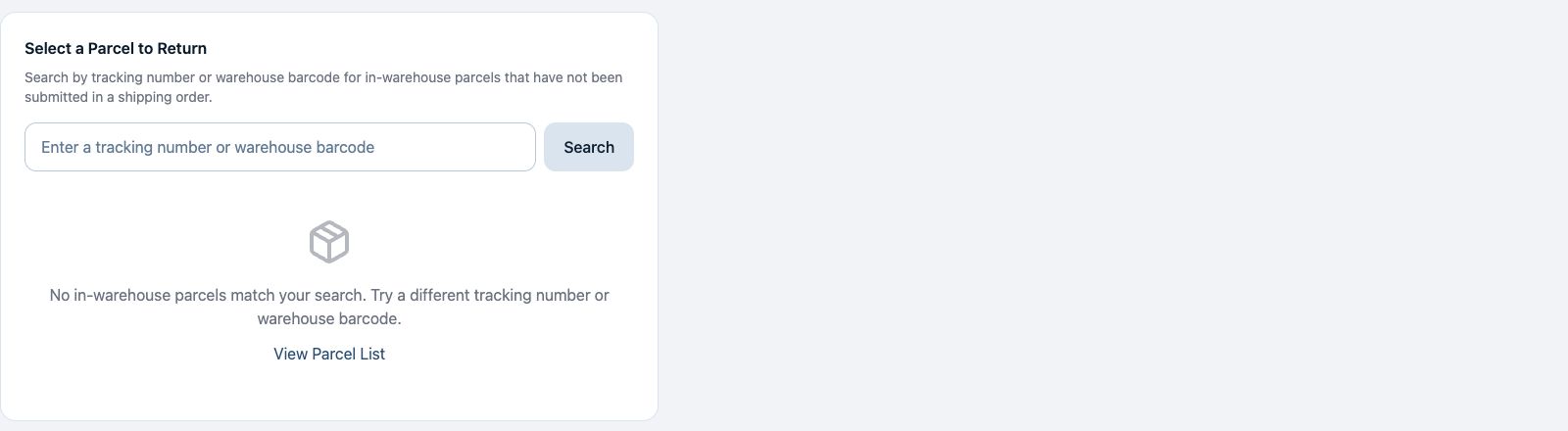
- In the customer dashboard sidebar, click Returns to open Return & Exchange Requests.
- Click Request Return, or open the in-warehouse parcel return form.
- The page lists eligible warehouse parcels from your account by default. Click the matching parcel card's Request Return action. Use the page buttons below the list if you have more parcels.
- To locate a specific parcel, enter either its domestic tracking number or warehouse barcode in the same search field, then click Search or press Enter.
- Check the warehouse barcode, domestic tracking number, and warehouse name before selecting the parcel card.
4. Choose Return Goods and enter the required reason
In Request Type, choose Return Goods and check Parcel Information again. Enter the return reason and any handling instructions in Reason Description. The reason is required.
Describe the actual issue, such as an incorrect model, an unsuitable size, or a quality problem. If a parcel contains several items and you want to return only some of them, contact support to confirm the handling arrangements before submitting instructions for the entire parcel.
5. Method A: Warehouse Ships
Select Warehouse Ships if you want the warehouse to send the parcel to the seller's specified domestic address. Complete these required fields:
| Required information | What to enter |
|---|---|
| Recipient Name | The return recipient confirmed by the seller |
| Contact Phone | A valid contact number provided by the seller |
| Return Address | The full address within China, including province, city, district, street, and building or unit details as needed |
Check the recipient details and reason, then click Submit Request. Follow the arrangements confirmed by support and the charges or information shown in your request details.
6. Method B: Self Arrange Pickup
If you arrange a courier to collect the parcel from the warehouse through the seller, a shopping platform, or a courier company, choose Self Arrange Pickup. Enter the Pickup Code supplied for that booking. Both the pickup code and return reason are required for this method.
Confirm that the booking matches the correct warehouse and parcel. If the booking platform does not supply a pickup code, or you are unsure how the courier will contact the warehouse, ask online support before submitting.
7. Check the request after submitting
A successful submission opens the request details. Later, find it on the Returns page to check the review status, handling information, and any return shipping details provided on the page.
If the details show Pending Payment, check the amount due and fee breakdown, then click Pay Now and follow the payment instructions. Confirm payment using the status and payment record shown on the page. If there is no payment prompt, continue following the review and handling progress in the details.
If you already have an unfinished request for the same parcel, check that request or contact online support before submitting again.
A successful submission means your request has been recorded in the system. It does not mean the parcel has been handed to a courier or the seller has refunded you. Follow the detail page's instructions and respond to any requests for information or charge confirmation. After the parcel is sent back, update the shopping platform with the actual return shipping information as required and continue following the refund there.
8. Frequently asked questions
Do I have to search for a number first?
No. Eligible warehouse parcels from your account are listed by default and can be selected directly. The domestic tracking number and warehouse barcode use one search field to help you find a parcel quickly.
Why can't I find my parcel?
Check that you are signed in to the account that owns it, that the identifier is correct, and that the parcel is still in the warehouse and meets the selection conditions on the page. Parcels in a submitted forwarding order are excluded. Check the warehouse parcel list, then give online support the domestic tracking number or warehouse barcode if you need help.
Can Problem and Quality Issue parcels be returned?
If the page lets you select the parcel, you can submit a request for review. Otherwise, contact support to check its eligibility. Explain the reason clearly and confirm any special handling requirements with support.
Why is Submit Request unavailable?
Check that a parcel is selected and its information has loaded, and enter the required reason. Warehouse Ships also requires a recipient, phone, and full return address. Self Arrange Pickup requires a pickup code. Complete missing fields or retry as instructed if the page fails to load.
How much does a return cost and how long does it take?
Give support your parcel identifier, return address, and preferred method so they can confirm the arrangements for this request. Parcels and handling needs differ; use the actual confirmation and request details. Submission alone does not confirm payment, collection, or dispatch.
Does submitting a ShipVida request automatically trigger a platform refund?
Warehouse returns and platform refunds are separate processes. Follow the seller's or platform's after-sales requirements, provide the actual return shipping information, and check the refund review result there.
Once the seller's details are ready, open the ShipVida warehouse parcel return form.