
Find the domestic tracking number for your Pinduoduo purchase, match it to the items actually shipped, and verify that you recorded the right parcel in ShipVida.
Your Pinduoduo purchase shows two numbers. One identifies what you bought; the other identifies the parcel on its way to your forwarding warehouse. If you paste the first into a parcel pre-alert, you may get stuck at carrier recognition. A trickier mistake is pasting a valid tracking number from a different purchase: the carrier might be recognized, but your item list would still be tied to the wrong box.
The safest check takes less time than sorting out a mismatch later. Start in your own Pinduoduo account, work from the items to the shipment, and then carry that shipment's tracking number into your forwarding account.
Know which detail belongs where
| Detail | What it identifies | When to use it |
|---|---|---|
| Product URL | The online listing for an item | Add it as a product reference when available. It does not identify your purchase or parcel. |
| Marketplace order number | Your purchase record in Pinduoduo | Use it to find the purchase in your account or ask the seller which items were shipped. |
| Domestic tracking number | A carrier shipment within China | Use it to pre-alert the parcel traveling to your forwarding warehouse. |
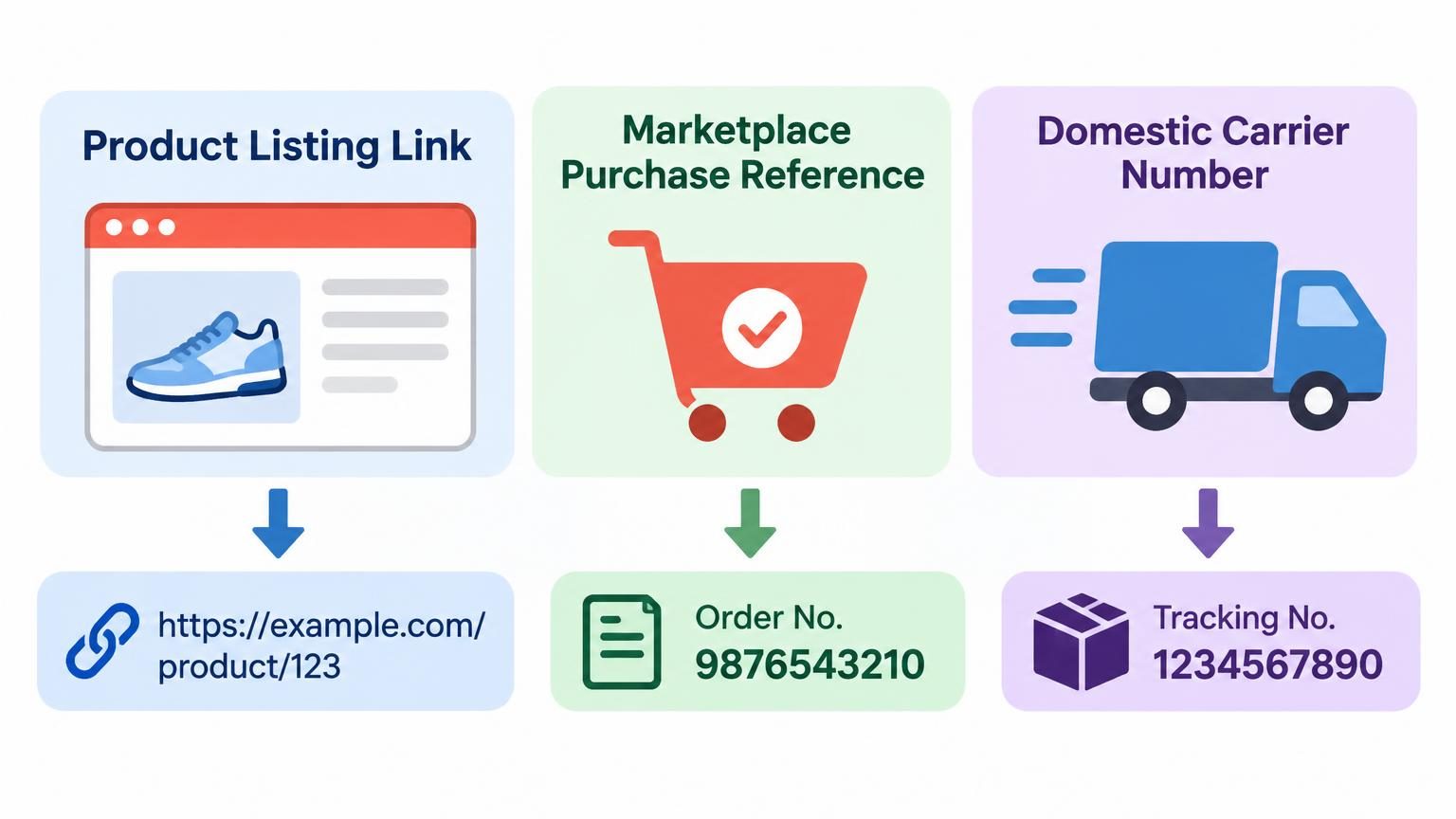
Illustration — A product listing link, a marketplace purchase reference, and a domestic carrier number shown as three separate details
Don't try to tell the two numbers apart by length. Instead, check what each number is attached to: the purchase record or the carrier shipment. If you're forwarding a box to the United States, for example, the number you need for the pre-alert is for the seller-to-warehouse leg in China, not a later UPS or FedEx number for delivery in the United States.
Find and verify the domestic tracking number
- Open the purchase in your Pinduoduo account. Match the item, variant, and quantity to what you remember buying. If you bought two similar phone cases from different sellers, check the seller and model before copying anything. Marketplace layouts vary, so go by what the record describes rather than where a number appears on the screen.
- Check the shipping information for that purchase. Look for the carrier and its tracking number. Copy the complete tracking number from the shipment details, not the marketplace order number from the purchase details. If you only see a purchase reference and can't find a carrier number, wait for the seller's shipping information or ask the seller to confirm it. Don't submit the order number as a substitute.
- Confirm what's in that specific parcel. One purchase can be split across multiple shipments. If two desk organizers were ordered but shipped in separate boxes, check which tracking number goes with each box before declaring the contents. If the shipping details don't make that clear, give the seller your marketplace order number and ask which items went under each tracking number.
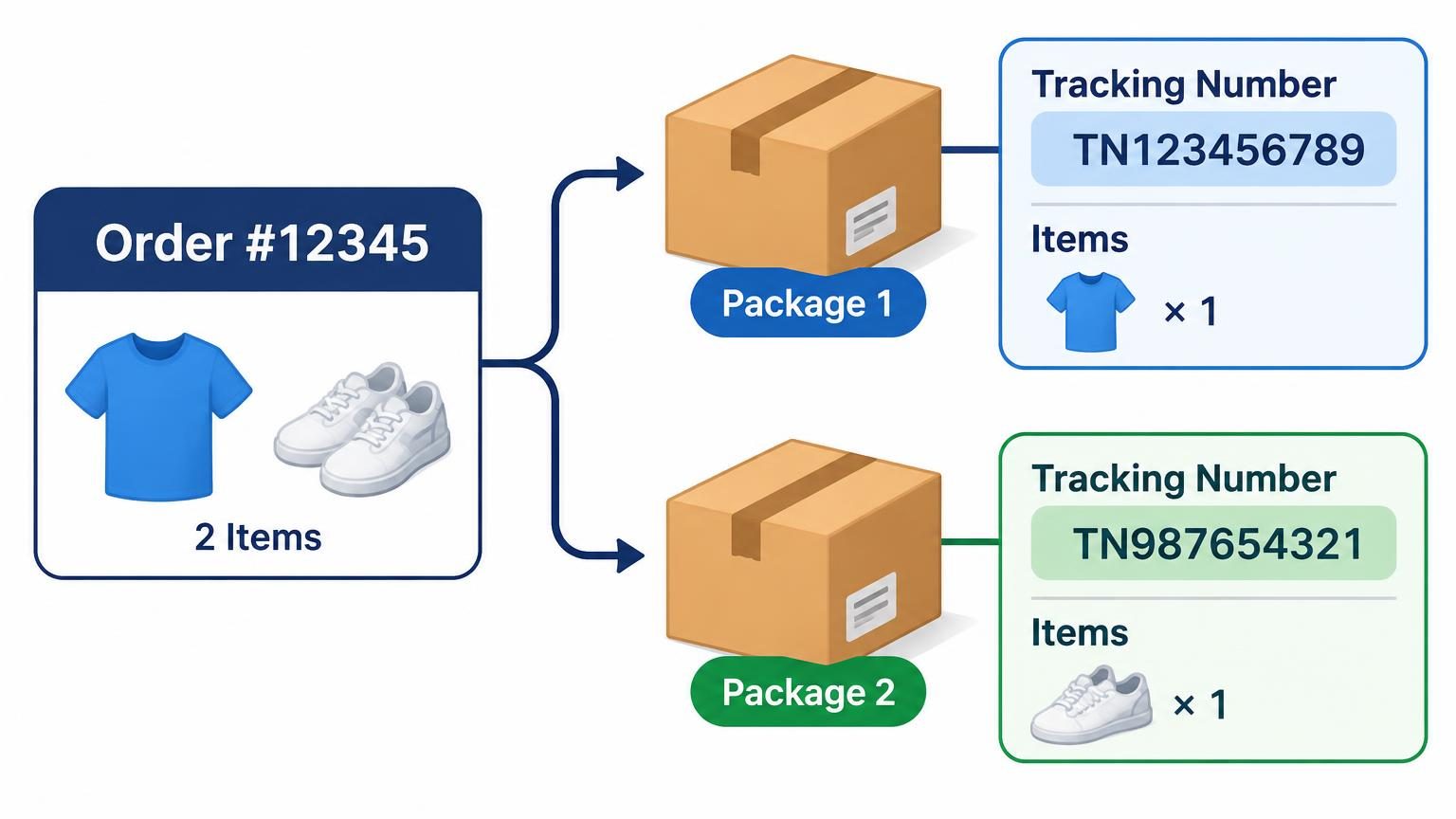
Illustration — One purchase split into two boxes, each paired with its own domestic tracking number and item list
Pre-alert the parcel and check the saved record
Start this step once you have the domestic tracking number and know which items it covers. A pre-alert records an expected parcel; it isn't proof that the warehouse has received it.
- Open the new parcel pre-alert form. Enter the domestic tracking number and wait for carrier recognition. An unrecognized carrier blocks submission, so resolve that before proceeding.
- Add at least one named item. Use a title that helps someone tell it apart from similar goods, such as “Clear case for iPhone 16” rather than “Accessory.” For every line, enter a quantity of at least one and a positive unit price in Chinese yuan (CNY). Include the product link and specifications, such as color or size, if available. The system calculates the line subtotal. For two cases at CNY 18 each, the line subtotal is CNY 36. If only one case is in this box, enter one even if the purchase shows two.
- Submit, then check the forecast list. After successful submission, find the recorded parcel using the same domestic tracking number. Compare the number in the record with the number shown for that shipment in Pinduoduo. Carrier recognition tells you the form recognized a carrier; it does not confirm that you copied the number from the right purchase.
If the check fails: If the carrier isn't recognized, return to the shipment details and recopy the full domestic number. Check for a missing character or a purchase reference copied by mistake. If the number still isn't recognized, ask the seller to confirm the carrier and tracking number. If you already submitted the wrong number, or can't find the expected record in the forecast list, contact support before submitting again. Have the correct tracking number and marketplace order number ready so you can explain the mismatch clearly.
Use a manual purchase request only if the item hasn't been bought
If you've already paid the Pinduoduo seller and are waiting for shipping information, stay with the pre-alert workflow. A manual purchase request is for asking the forwarder to buy an item, not for notifying the warehouse about a parcel you've already ordered.
- Open the new purchase order form and select a warehouse.
- Enter each item's title, quantity, and price. Each line needs a quantity of at least one and a positive price in CNY. You can also provide the product link, SKU attributes such as size and color, an optional reference image, and an order remark.
- Review the items and subtotal before submitting. Check the quantities and variants against the listing. The subtotal excludes international shipping, so don't read it as the total cost of getting the goods to your door.
Before you send a pre-alert, make one last comparison: the tracking number in the marketplace shipment details should match the number in the forecast list after submission, and your item lines should describe only what's in that parcel. If you can't reconcile the two records, contact ShipVida with the marketplace order number, the domestic tracking number, and a short note about what doesn't match.