
When a 1688 supplier splits one order into two parcels, match each domestic tracking number to its own packing list. This tutorial shows how to enter both pre-alerts, check the forecast list, and recover from an unrecognized tracking number or a quantity mix-up.
Your 1688 order shows 60 items, but the supplier has given you two domestic tracking numbers. Which items go under which number? Copying all 60 items into both pre-alerts would record 120, while guessing at a 30–30 split could give the warehouse the wrong packing list for both boxes. Start with one rule: make one pre-alert per domestic tracking number, and list only what is inside that parcel.
Before you start: Match the goods to the boxes
Open the purchase in your own 1688 account and review the shipment information available for that order. The layout can vary, so focus on the information rather than where it appears. If you see two tracking numbers but no breakdown of what went into each box, ask the supplier to confirm the item names, variants, and quantities against each number. A reply that says only “two boxes sent” is not enough to build two accurate records.
Keep these three references separate:
- Product URL: The link to the listing for an item. The same link can appear on both pre-alerts if the seller packed that product in both boxes.
- Marketplace order number: The reference for the purchase in your 1688 account. It can help the supplier identify the sale, but it does not identify either box.
- Domestic tracking number: The reference for one parcel traveling from the supplier to the warehouse. This is the number you enter for that parcel's pre-alert, not an outbound DHL, FedEx, or UPS number for the later international shipment.
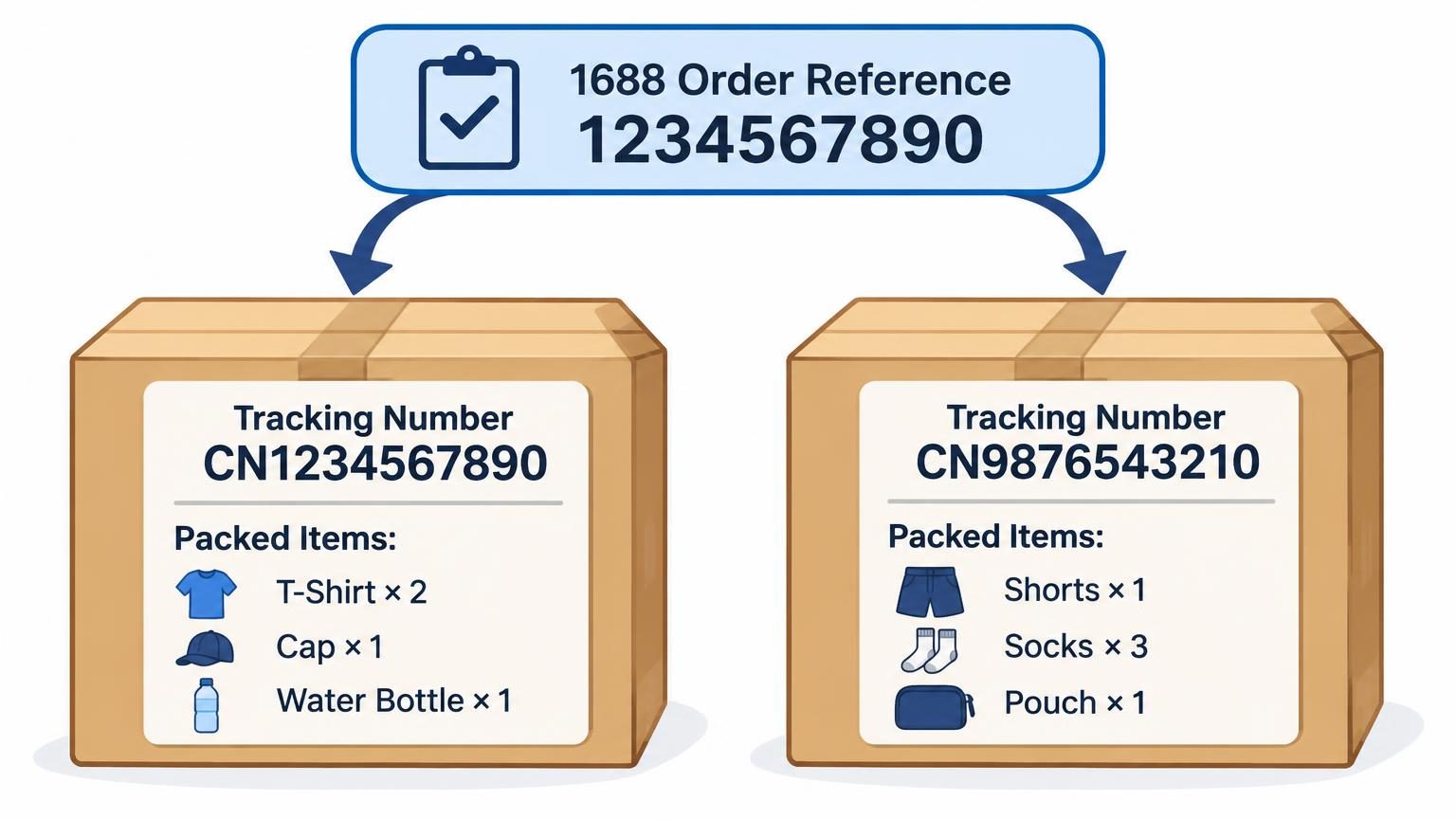
Illustration — A 1688 order reference above two boxes, each with its own domestic tracking number and a short list of packed items
How to pre-alert two parcels from one 1688 order
1. Make a two-parcel worksheet
Use a note or spreadsheet. Give each domestic tracking number its own section and write down what the supplier says is inside: item name, quantity, unit price in CNY, and product link and specifications if available. If the same product is split across both boxes, put it on both lists with the quantity packed in each. If two versions of a product share a listing, use specifications such as size or color to tell them apart.
Say you ordered 40 small cotton pouches at CNY 3 each and 20 large pouches at CNY 5 each. The supplier confirms that parcel A contains 25 small pouches. Parcel B contains the other 15 small pouches and all 20 large ones. Your worksheet should show one item line for A and two for B. Read across both lists once: 25 plus 15 gives you the 40 small pouches you bought, and the 20 large pouches appear only in B.
2. Submit the first parcel's pre-alert
Open the new parcel pre-alert form. Enter parcel A's domestic tracking number and wait for carrier recognition. If the carrier is not recognized, the form blocks submission. A marketplace order number or the other box's tracking number is not a substitute.
Add at least one named item. Enter a quantity of at least one and a positive CNY unit price for each line, plus the product link and specifications if available. In the pouch example, enter 25 as the quantity and 3 as the unit price for the small pouches. The form calculates the line subtotal of CNY 75. Enter the price for one pouch, not the full CNY 75, in the unit price field. Review the tracking number and item details, then submit.
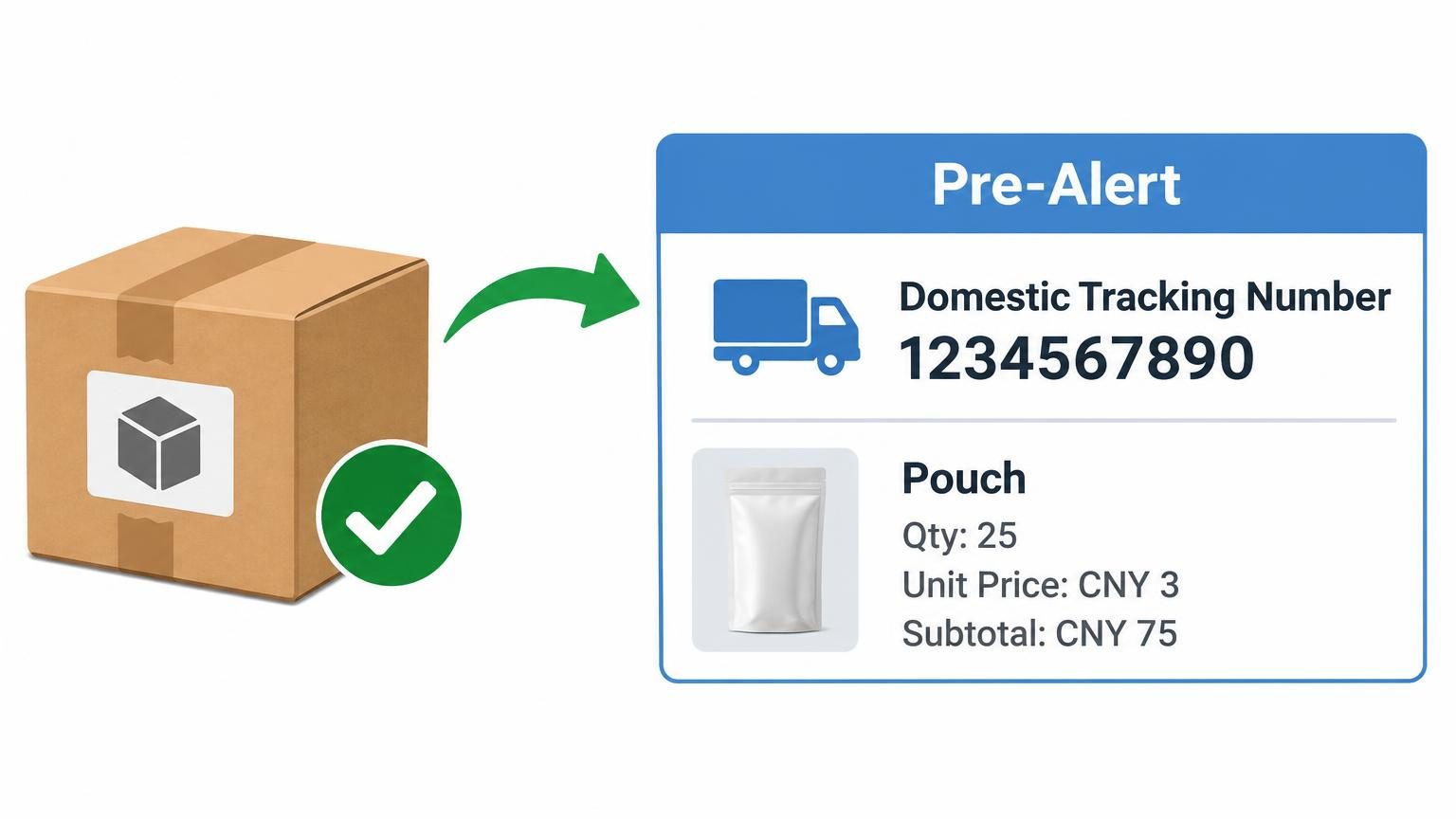
Illustration — One parcel pre-alert showing a domestic tracking number and a pouch line with quantity 25, unit price CNY 3, and subtotal CNY 75
3. Start a separate pre-alert for the second parcel
Open the same form again, enter parcel B's domestic tracking number, and wait for carrier recognition. Add the two lines confirmed for that box: 15 small pouches at CNY 3 each and 20 large pouches at CNY 5 each. Those lines should show subtotals of CNY 45 and CNY 100. If both sizes came from the same listing, use the same product link and distinguish the sizes in the specifications. Review and submit the second record.
Check both records in the forecast list
After each successful submission, check that the parcel appears in the forecast list under the tracking number you entered. Once both are recorded, compare the two entries with your worksheet. Look for two different tracking numbers and make sure the item counts match the supplier's split. For the pouch order, the records should account for 60 pouches in total: 25 in the first parcel and 35 in the second. A record in the forecast list confirms the pre-alert was recorded; it does not mean the box has reached the warehouse.
If a tracking number or item split is wrong
If the carrier is not recognized, compare the number you entered with the supplier's shipment details. Check for a missing digit, an extra space, or an order number copied in place of the tracking number. If it still fails, ask the supplier to confirm the domestic carrier and tracking number. Keep the second parcel separate if only one number is causing trouble.
If you discover a wrong item count after submission, write down the affected tracking number and the correct item breakdown. Do not submit a duplicate pre-alert to try to overwrite it. Contact ShipVida with the tracking number and the supplier's confirmed packing split so you can get help correcting the right record.